WAMM.chat implements a chat organization system that divides all conversations into three main tabs: Mine, Open, and All. This division allows each employee to quickly find the necessary conversations and efficiently perform their tasks.
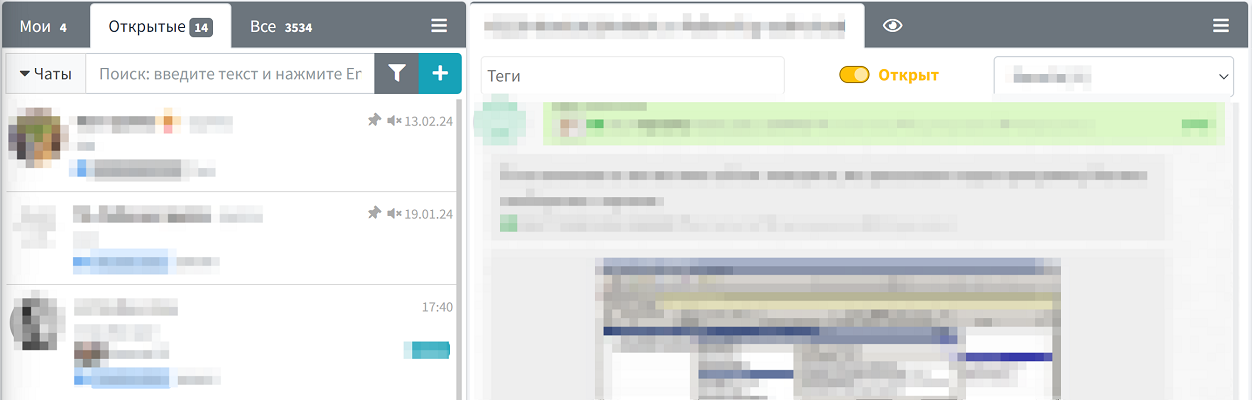
Features and benefits of each tab:
- My Chats — displays only the conversations where the user is assigned as the responsible party. This allows employees to immediately focus on their tasks without being distracted by conversations handled by colleagues. Particularly useful for employees with clearly defined areas of responsibility.
- Open Chats — this tab contains all active conversations, including new ones (without an assigned responsible party) and those already handled by other users. This tab is indispensable for efficient teamwork, providing an overview of current customer communication.
- All Chats — shows the complete list of conversations, including closed chats. This tab provides access to the full communication history and is used to search for information in archived conversations.
Practical application in business processes:
- For support teams — sorting allows operators to clearly see their active tasks in the "Mine" tab, while supervisors can monitor the overall workload and chat distribution via the "Open" tab.
- For sales departments — managers can track their deals and customer inquiries, while department heads can analyze the team's overall communication.
- For collaboration — if no responsible employee is assigned, colleagues can easily find the chats and temporarily take over customer communication.
Integration with other WAMM.chat features:
The tab system is closely integrated with other features:
- Works in conjunction with the chat responsibility assignment feature, automatically sorting conversations into the appropriate tabs when the responsible party changes.
- Interacts with the chat closure system — closed chats disappear from the "Mine" and "Open" tabs but remain available in the "All" tab.
- Enhanced by the chat filtering feature, allowing even more precise customization of conversation display within each tab.
This workspace organization optimizes the workload for each employee and significantly improves the efficiency of handling inquiries, which is especially valuable in high-volume customer communication.
Tip: In the User Profile section, you can configure how message counters are displayed to see the number of unread messages per tab or only the total number of chats.