Register and start using the service immediately, with the first 3 days being free. This will allow you to get acquainted with WAMM.chat and evaluate its features for solving your tasks.
- Go to https://wamm.chat/en, then click the Sign Up link, enter your e-mail, name, and set a password.
- Next, the service will send you an email to confirm your e-mail; open your mail and follow the link in the email.
- At this point, registration is complete and you can start working.
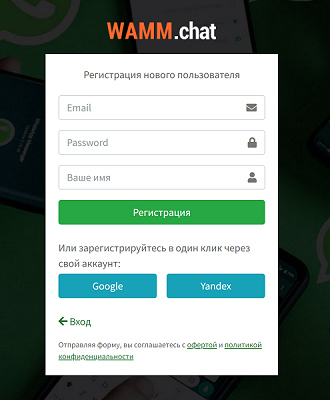 personal account registration window
If you have a Google, Yandex, or VK account and are logged into it, you can register simply by clicking the corresponding buttons on the registration form. In this case, e-mail confirmation will not be required, and you can log into WAMM.chat also by clicking the Google, Yandex, or VK button.
Additional users for the account - your colleagues/operators - you invite by adding them in the Users section. A login and password for access will be sent to their e-mail; they do not need to register independently or create a separate personal account. If a user registered independently and created a separate personal account, they can write to support and we will delete that account.
Before registering, please review the Public Offer Agreement and the Privacy Policy. Their acceptance - conclusion of the agreement - is performed by registering an account or paying for services.
What's next? Explore the following possible steps: