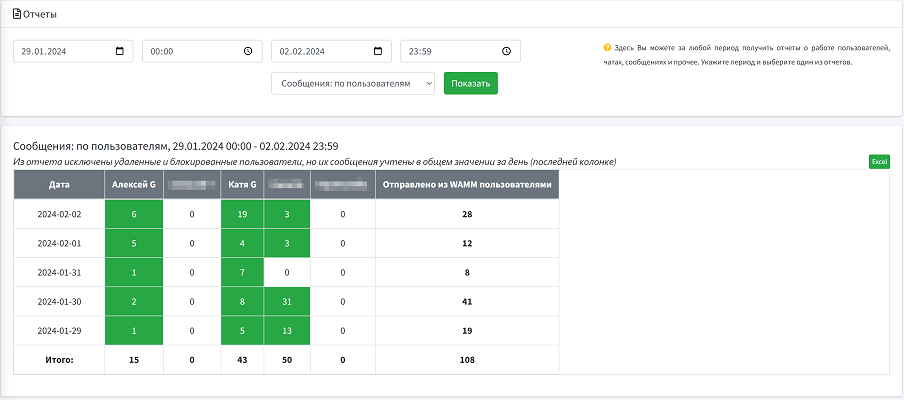
The report displays the number of sent messages over a period of time, grouped by days and users, allowing to determine each user's activity on different days, identify leaders in terms of message volume, and detect changes in communication activity across different days.
It contains the following fields: Date, User 1, User 2 ..., Sent from WAMM by users
Users have the ability to view the report directly on the screen, print it for analysis in paper format, or export it in Excel format for further analysis and data processing.