The chat blocking feature in WAMM.chat gives users control over incoming messages and helps manage communications effectively. Blocking may be needed in various situations and addresses the following tasks:
- Protection from unwanted messages and spam
- Filtering out intrusive contacts
- Temporarily or permanently stopping communication with specific clients
- Managing the workspace when an interaction has concluded
How to Block a Chat
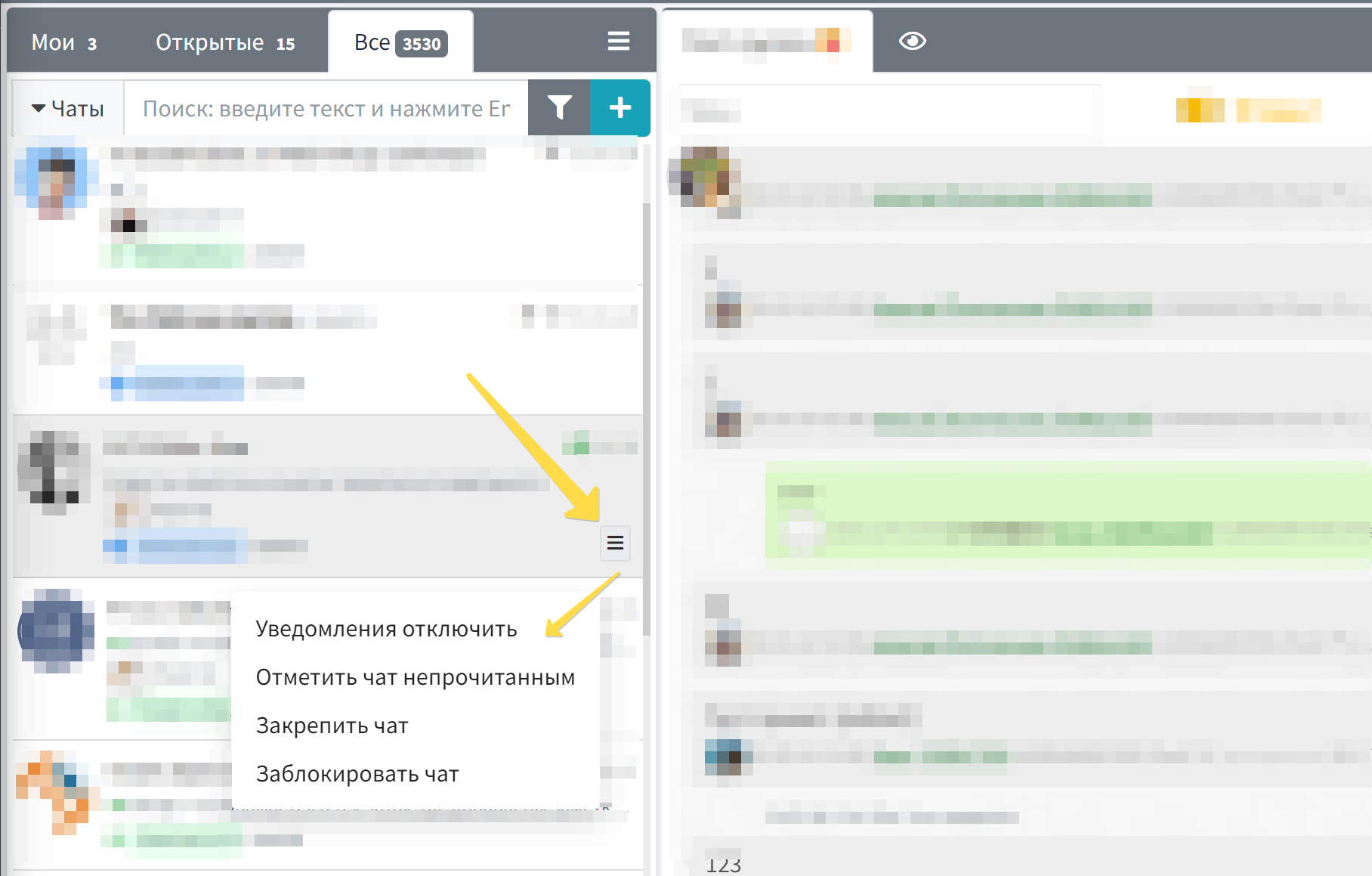
You can block a chat in WAMM.chat in two ways:
- Via the chat list menu: Hover your cursor over a chat in the list to reveal a menu button. Click it and select the "Block chat" option.
- Via the "Info" tab: Open the desired chat and go to the "Info" tab on the right side of the message window, where the blocking setting is available.
After blocking, an indicator in the form of a crossed-out circle will appear next to the chat, signaling its status.
Chat Blocking Features
When blocking a chat, consider the following features:
- Blocking only works within the WAMM.chat interface and does not affect the messenger itself on the mobile device
- New messages will not be delivered to blocked chats
- Notifications will not be received for blocked chats
- Blocked chats remain in the list but are visually marked with a corresponding icon
- Blocking can be removed at any time via the same menus where it was set
Use Cases in Business Processes
Chat blocking can be useful in the following business scenarios:
- Customer Support: Temporarily blocking chats with aggressive clients or blocking after a final resolution
- Sales Department: Blocking spam contacts or non-paying clients
- Marketing: Managing contact lists during campaigns and excluding non-target audiences
- Managers: Managing the workspace and optimizing message flow to improve team productivity
The chat blocking feature perfectly complements other communication management tools in WAMM.chat, such as closing chats, assigning responsible agents, and chat filtering.
Connection with Other Features
Chat blocking is related to the following features:
- Disabling chat notifications - a softer alternative to blocking, when you only need to pause receiving notifications
- Closing chats - for cases where you need not to block, but simply mark an interaction as completed
- Chat tabs - for structuring the workspace
- Chat filter - for visualizing blocked or active chats