WAMM.chat provides extensive capabilities for creating and managing user groups, which allows you to flexibly distribute tasks and manage access. This functionality greatly simplifies the organization of work in companies with various departments, such as support lines, branches and sales departments.
Main Functions
Creating and managing groups
The creation and management of user groups is available to administrators in the "Users" section on the corresponding tab.
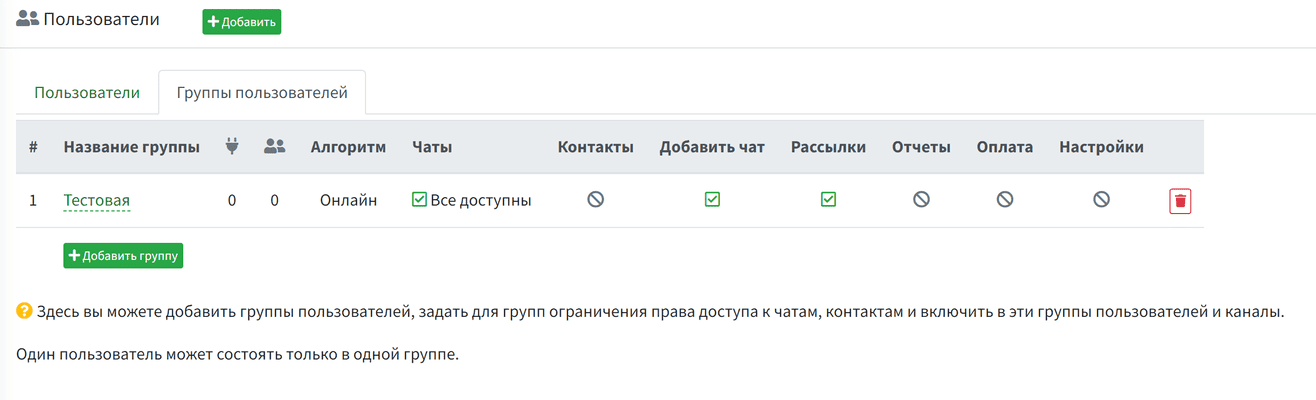 user groups
Setting up access rights
When creating a group, you can set various access parameters, which allows you to flexibly control which functions and sections of the program will be available to group members.
The following options are available:
- Access to chat contacts: Controls visibility and access to contact information in chats.
- Adding new chats: Allows or prohibits users of the group from creating new chats.
- Access to newsletters: controls access to the newsletter functionality.
- Reports section: access to viewing and creating reports.
- Payment section: controls access to transactions and information related to payment.
- Settings section: access to the general settings of the program.
- Access to chats: Determines whether group members can see all chats or only those to which they are assigned (All are available / Only assigned).
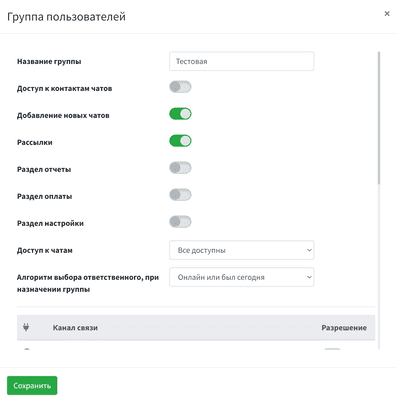 user group access rights
Chat distribution algorithms
When assigns a chat to a group, a specific responsible user is selected from the group members according to a given algorithm. In the group settings, you can set the selection algorithm, such as:
- Online or was online today: Selects a user who is online or was active today.
- Fewer assigned chats: Selects the user with the lowest download.
- Random selection: Randomly selects a user from a group.
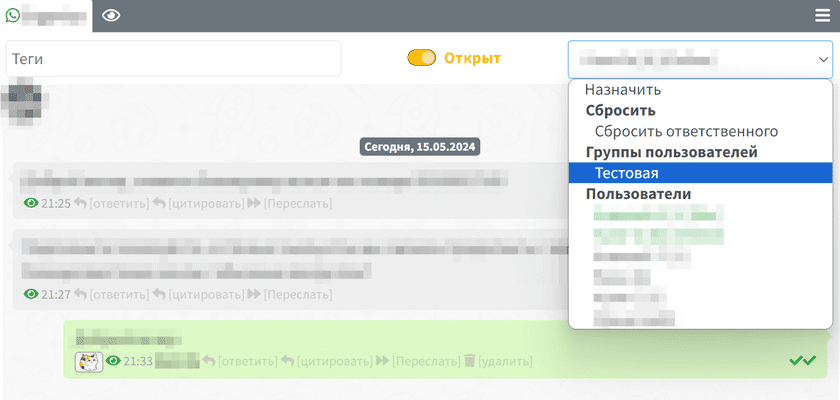 group chat assignment
Availability of communication channels
If your company has several communication channels connected (for example, WhatsApp, Telegram, etc.), then you can set the availability of specific channels for each group, which allows, for example, one group to work only with Telegram, and the other with WhatsApp.
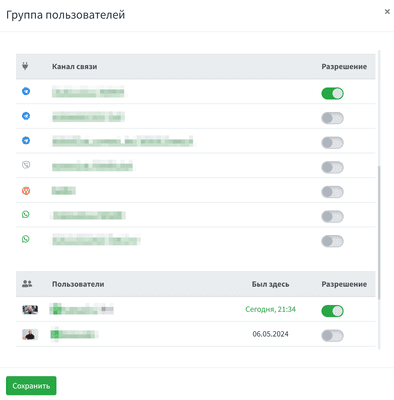 communication channels in user groups
Using user groups allows
- Divide responsibilities between different departments and support lines.
- Provide access to specific functions only to those employees who need them.
- Optimally distribute the workload among employees.
- To increase the level of data security and confidentiality.