WAMM.chat offers a feature to pin important chats to the top of the list, providing quick access to priority conversations. Pinned chats will always appear first in the list, regardless of the selected chat sorting method.
When to use this feature:
- When working with VIP clients requiring increased attention
- For key negotiations and important deals
- When managing several active projects simultaneously
- For tracking urgent requests or inquiries
- When frequent access to specific dialogues is needed
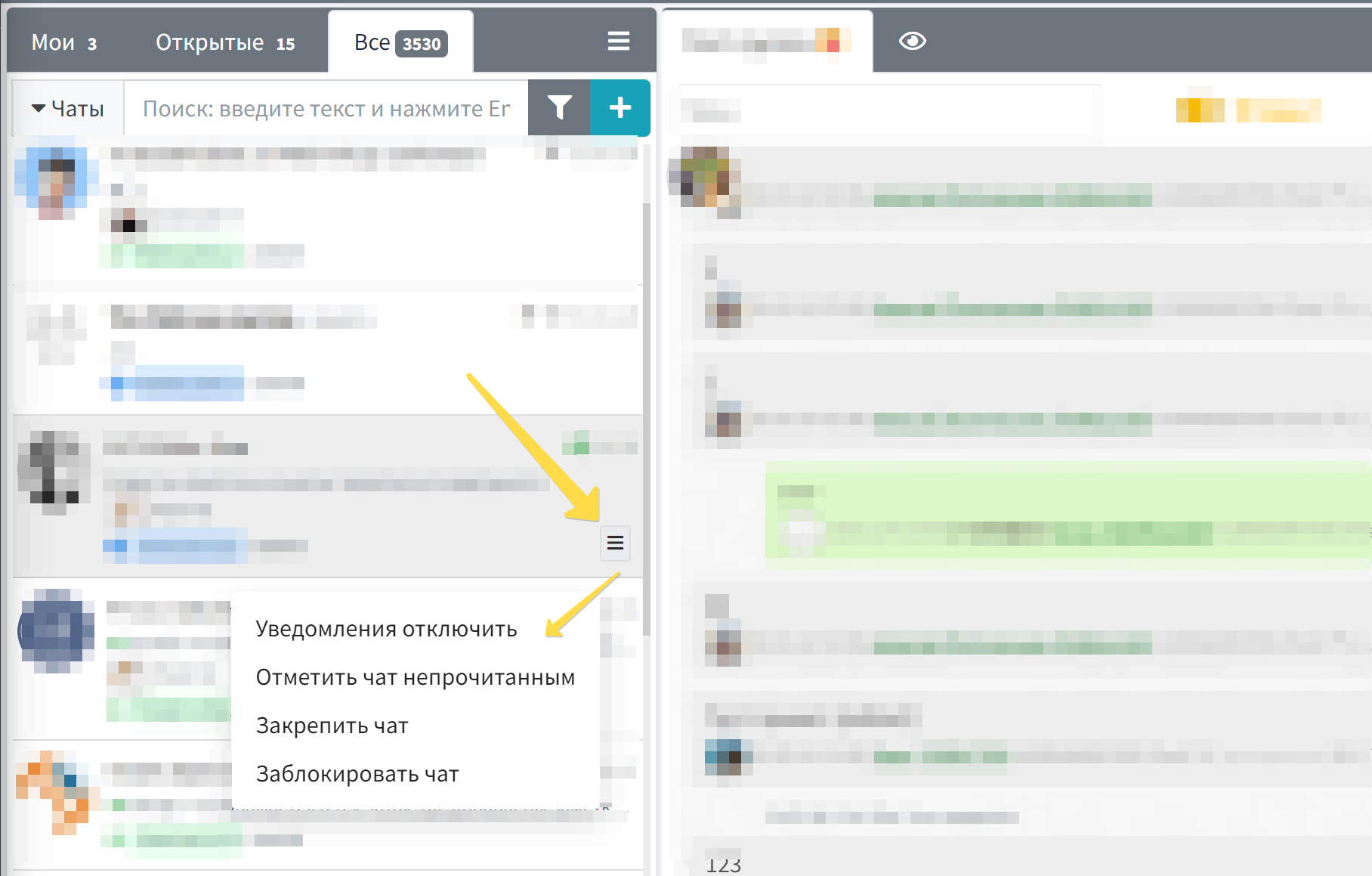
To pin a chat to the top of the list:
- Hover the cursor over the desired chat in the list
- Click on the menu button that appears (three horizontal lines)
- Select the "Pin chat" option
After pinning, the chat will be marked with a pin icon and automatically moved to the top of the list. To unpin a chat, follow the same steps and select "Unpin chat".
This feature is especially effective when combined with other chat management tools, such as assigning a responsible person for a chat and using tags. For example, you can assign a responsible person to an important chat, add relevant tags, and pin it to the top for maximum tracking convenience.
For customer support teams, this feature helps highlight high-priority inquiries, and for sales departments, it keeps promising deals or important negotiations in view. Managers can pin chats with key clients for constant quality control of service.
Pinned chats retain their status even when the page is refreshed or the program is reloaded, ensuring stability in workspace organization. Each user can individually customize their list of pinned chats according to their work priorities.
Related features:
- Chat Sorting - additional ways to organize the dialogue list
- Chat Filter - helps find needed chats by various parameters
- Chat Tags - for additional dialogue categorization
- Responsible for Chat - for distributing responsibilities within a team